Join 100,000+ business leaders
Subscribe to get our most-popular proposal eBook and more top revenue content to help you send docs faster.

.png)

Most nonprofits don't think much about document management.
They're focused on grant reporting. Volunteer onboarding. Audit preparation. Finding the latest signed agreement when someone asks for it.
Those activities may seem unrelated, but they all follow the same path: a document gets created, reviewed, completed, signed, stored, and eventually needs to be found again.
"Document management" sounds like an IT topic, but it's really about how everyday work flows through an organization. Every nonprofit creates hundreds or thousands of forms, agreements, reports, and policies each year. Yet few organizations take the time to step back and look at how those document processes actually work.
This checklist is designed to help. It walks through the five document streams found in most nonprofits - grants, volunteers, donors, HR, and compliance—and invites you to evaluate how each one is managed, from creation to long-term storage.
Each document stream is evaluated through three key areas:
Standardize — Is there a single, up-to-date version of each document that everyone works from? Are templates, policies, and supporting materials easy to find and consistently used?
Automate — Do document steps move forward automatically, or do they rely on manual follow-ups and reminders? Routine tasks should be built into the process, not left to memory.
Secure — Do the right people have access to the right documents? Can you easily see who created, reviewed, approved, or signed a document when needed?
Before you begin, keep a few things in mind:
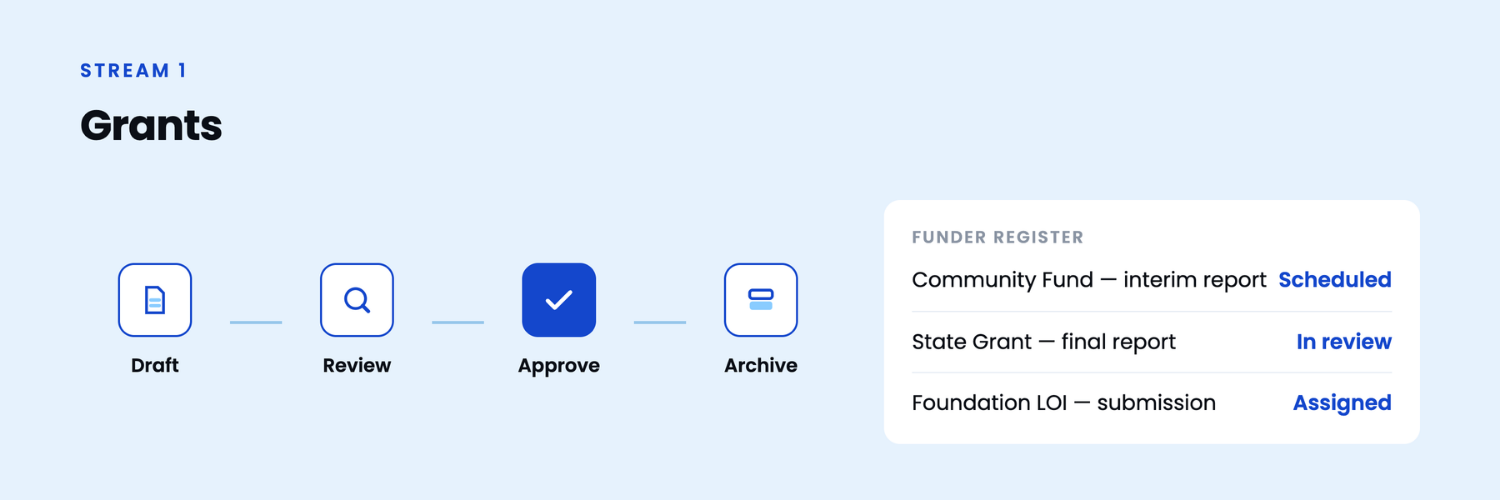
What's in this stream: Letters of inquiry, applications, budget attachments, award letters, subrecipient agreements, interim and final reports, receipts, and supporting documentation.
About this document stream: Grant documentation often involves multiple contributors, changing requirements, and strict reporting deadlines. Having standardized templates, a clear review process, and organized records helps teams prepare applications more efficiently, maintain consistency across submissions, and quickly locate supporting documents when they're needed.
Standardize
Automate
Secure
Good recordkeeping goes beyond collecting signatures. Being able to quickly verify who signed a document, when it was signed, and which version was accepted provides confidence for volunteers, staff, and your organization. It also makes renewals, policy updates, and compliance reviews much easier to manage.
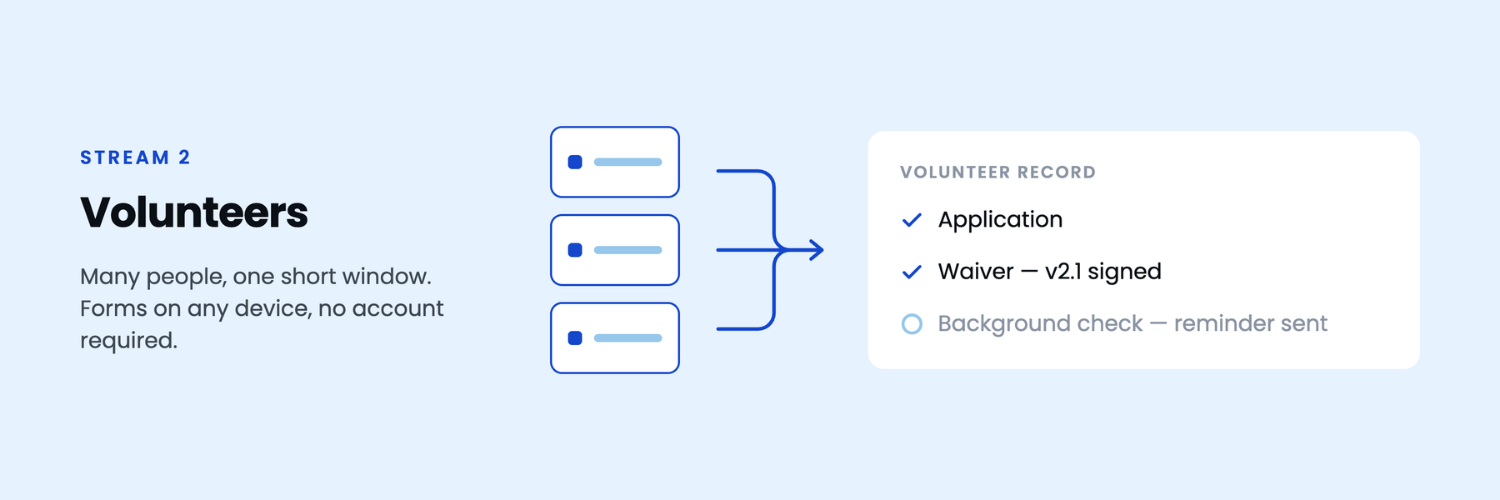
What's in this stream: Volunteer applications, background check consents, volunteer agreements and waivers, training acknowledgments, hour logs, and photo and media releases.
About this document stream: Volunteer onboarding often involves large numbers of people completing forms over a short period of time. Whether it's a seasonal program, community event, or ongoing recruitment, the process should be simple for volunteers while giving coordinators a consistent way to collect information, track progress, and maintain complete records.
Standardize
Automate
Secure
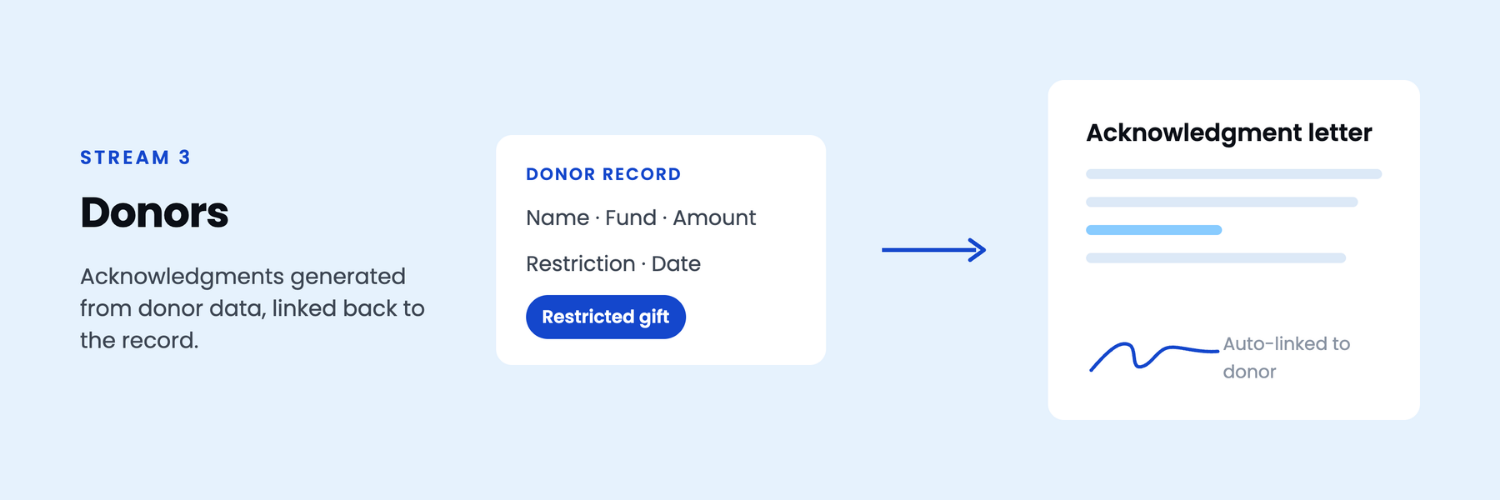
What's in this stream: Pledge and gift agreements, recurring gift authorizations, acknowledgment letters, in-kind gift receipts, donor-advised fund and stock transfer documentation, and records for restricted gifts.
About this document stream: Donor documents capture important information about gifts, commitments, and funding terms. Keeping these records organized and connected to the appropriate donor or fund helps ensure consistent communication, accurate reporting, and easy access to supporting documentation when it's needed.
Standardize
Automate
Secure
Well-organized donor documentation makes it easier to maintain consistent communication, demonstrate accountability, and preserve the history of every gift. When agreements, acknowledgments, and supporting records are connected to the donor record, staff spend less time searching and more time building relationships.
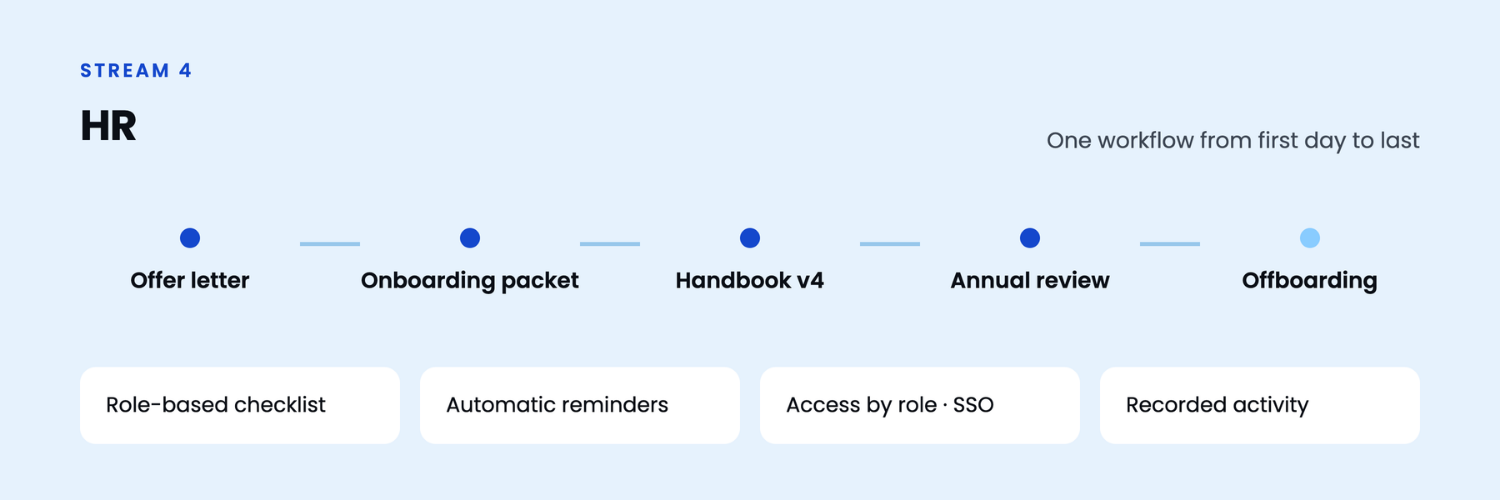
What's in this stream: Employment applications, offer letters, onboarding documents, handbook acknowledgments, benefits enrollment forms, performance reviews, training certificates, and offboarding documentation.
About this document stream: HR teams manage documents throughout the entire employee lifecycle—from hiring and onboarding to annual reviews and offboarding. A consistent document process helps ensure employees receive the right information at the right time while supporting compliance, security, and accurate recordkeeping.
Standardize
Automate
Secure
Employee documents should follow the same structured process as every other business document. When onboarding, policy acknowledgments, performance reviews, and offboarding are managed through consistent workflows, HR teams spend less time coordinating paperwork and more time supporting employees.
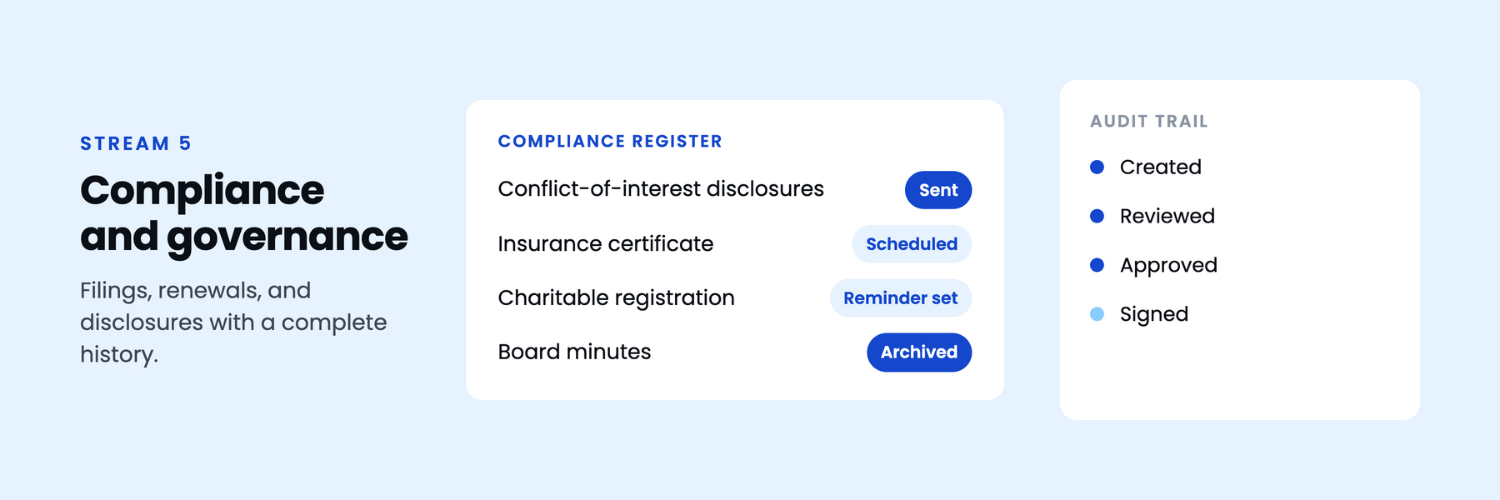
What's in this stream: Board minutes and resolutions, conflict-of-interest disclosures, bylaws and policies, insurance certificates, state charitable registrations, Form 990 supporting documentation, subrecipient monitoring records, vendor contracts, and participant consent forms.
About this document stream: Governance and compliance documents support your organization's accountability, transparency, and regulatory obligations. Keeping these records organized, up to date, and easy to retrieve helps board members, leadership teams, and auditors quickly access the information they need throughout the year.
Standardize
Automate
Secure
Well-managed governance and compliance records provide confidence that important documents are complete, current, and easy to locate. Whether preparing for a board meeting, responding to an audit, or reviewing organizational policies, having structured document processes helps teams spend less time searching for information and more time acting on it.
What this checklist is really measuring
As you work through the five document streams, you'll notice the same three themes appear again and again. Together, they form the foundation of an effective document management process.
1. Standardization
Everyone works from the same approved templates, policies, and supporting documents. Information is organized consistently, making it easy to find, update, and reuse across the organization.
2. Automation
Routine document tasks—such as routing, approvals, reminders, document generation, and notifications—are built into the process, reducing manual effort and helping work move forward consistently.
3. Security and Traceability
The right people have access to the right documents, while every important action—from creation and approval to signing and updates—is recorded in a complete audit trail.
Together, these three areas help organizations spend less time managing documents and more time focusing on their mission.
The good news is that improving document processes doesn't mean replacing your donor management system, HR platform, CRM, or case management software. Those systems already manage valuable information.
Document management connects the work between them—capturing information through forms, generating documents from your data, routing them through approvals and signatures, and securely storing the completed records in one place where they're easy to find whenever they're needed.
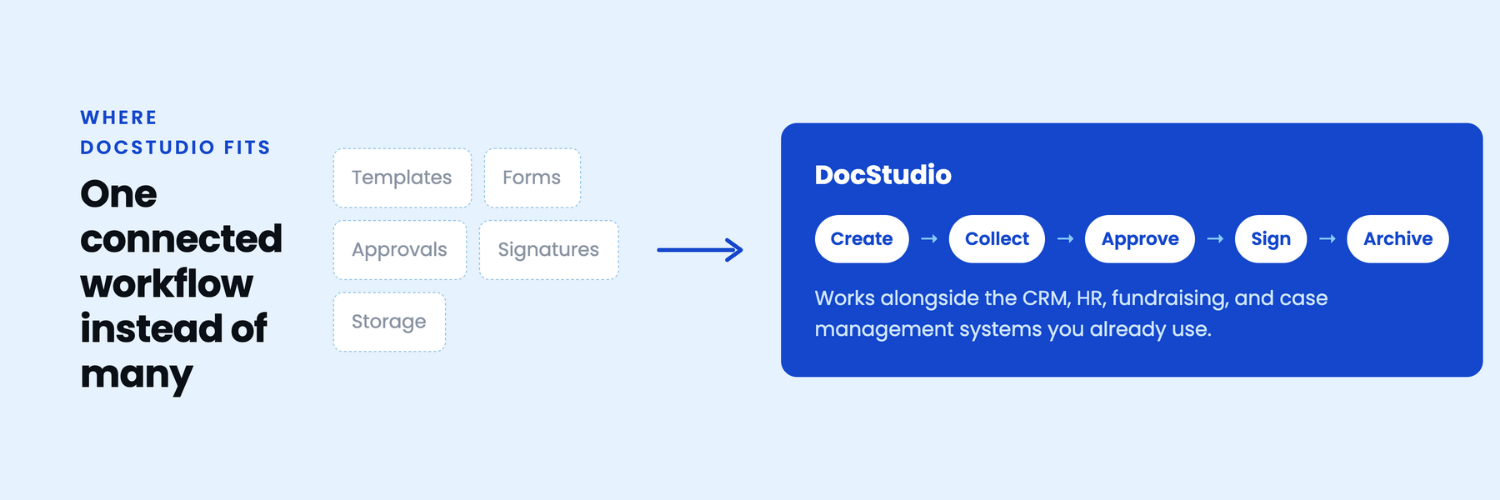
Rather than managing templates, forms, approvals, signatures, and document storage across multiple systems, organizations can manage the entire document lifecycle in a single, connected workflow while continuing to use the CRM, HR, fundraising, and case management systems they already rely on.
Across the five document streams in this checklist, that means you can:
Whether you're managing grant applications, volunteer onboarding, donor agreements, employee records, or governance documentation, the goal is the same: create a consistent document process that saves time, improves visibility, and keeps information organized throughout its lifecycle.
Spend less time managing paperwork and more time supporting your mission.
Book a demo to see how DocStudio can help streamline your document processes using your existing templates and systems.
Prefer to explore on your own first? Start free and see how it works with your own documents. You can also read more about DocStudio for nonprofits and NGOs.

.png)